Web App
V1 ProdBot is a production-team assistant for V1 Church campuses. Volunteers pick their campus and ask questions in a chat that streams answers grounded in that campus's approved documentation. An Explore view renders the full audio and video wiring diagram, and an Admin view turns pasted notes, uploads, and plain-language descriptions into draft docs and diagrams for review.
Walkthrough
Answers for the production booth before the service starts.
How it works
Built for the booth, from Sunday to Sunday.
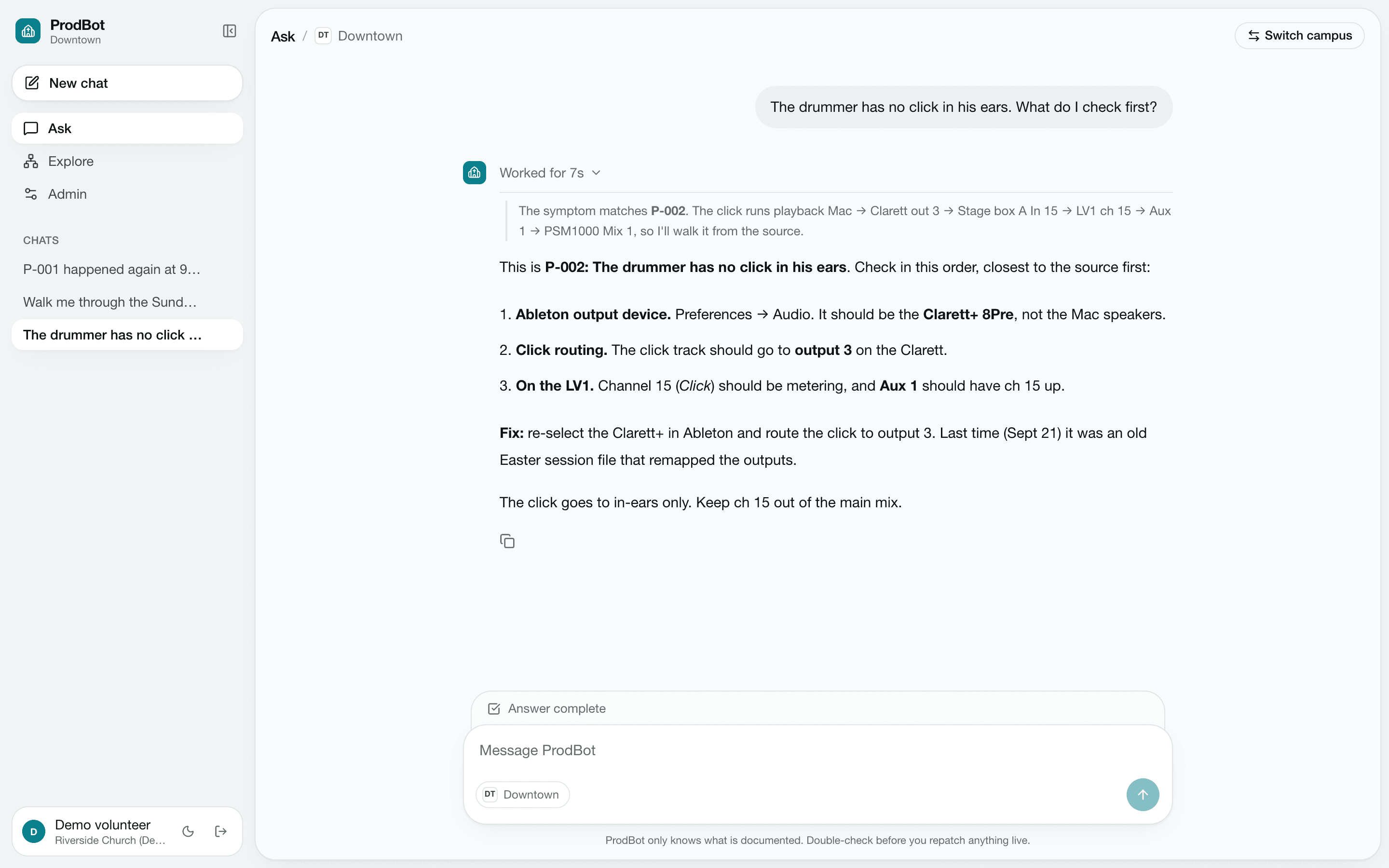
Ask the booth
Sunday-morning answers from your own wiring
A volunteer describes the problem in plain words and ProdBot matches it to a known pitfall, then walks the signal chain from the source. The answer names the real devices, channels and outputs on that campus.
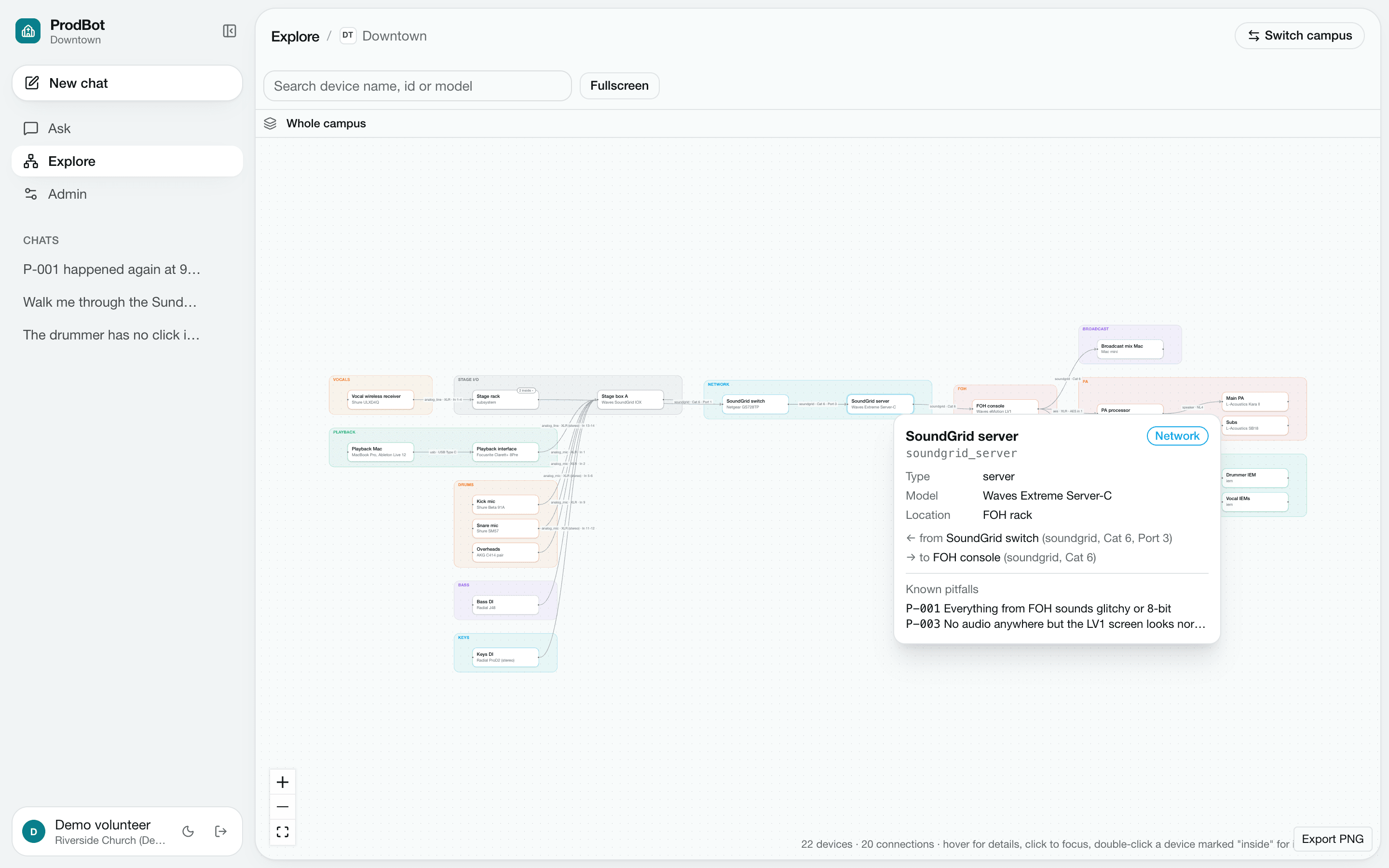
Explore the wiring
Every cable on campus, on one map
The whole campus is drawn as a live graph grouped by system, from stage mics to the PA and in-ears. Hover any device to see its model, location, connections and the pitfalls tied to it.
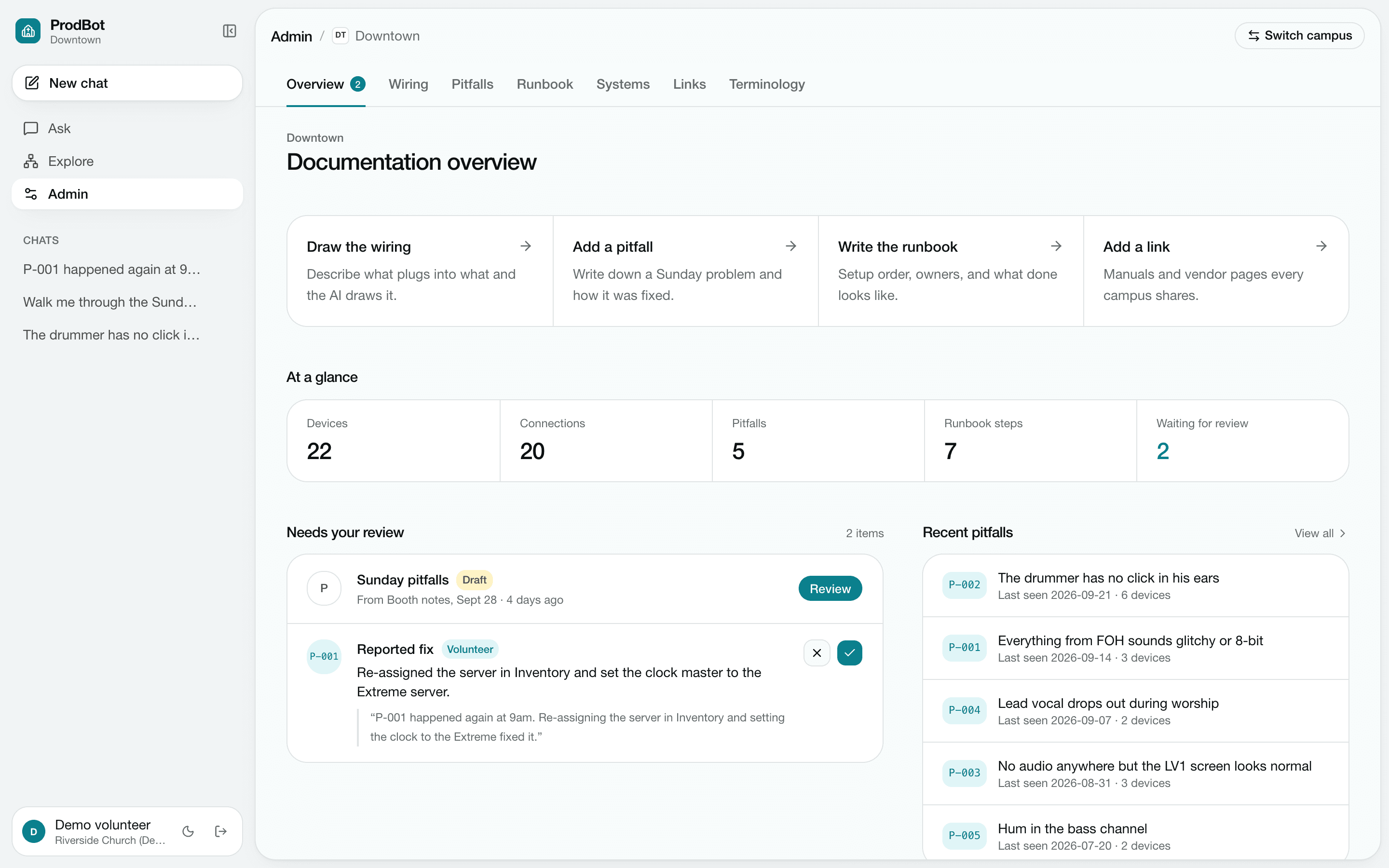
Keep it current
Fixes from Sunday become documentation by Monday
When a volunteer reports a fix in chat, ProdBot drafts it as an update to the matching pitfall An admin approves or rejects it in one click, so the next person gets the answer.
Purpose
Sunday-morning problems get solved by whoever is in the booth, and the knowledge of how a campus is wired usually lives in a few people's heads. ProdBot captures it as reviewed documentation: every AI draft is compared against the approved version before it is accepted, wiring is approved before the docs that depend on it, and volunteer-reported fixes go through review with their report attached as evidence.
Key Features
Grounded Chat
Streamed answers from the OpenAI Responses API, grounded in each campus's approved and shared documentation.
Visible Reasoning
The model's reasoning summary streams into a collapsible Thinking block above every answer.
Wiring Explorer
Interactive campus wiring diagram with device search, fullscreen, PNG export, and double-click into a device's internal wiring.
Chat-Drawn Diagrams
Describe a change in plain language and the AI redraws the diagram; nothing is stored until you save a revision.
Reviewed AI Drafts
Generated pitfalls, runbooks, and systems docs sit beside the approved version so an admin can approve, edit, or discard them.
Safe Revisions
Approval keeps the previous version, and a draft cannot overwrite docs that changed after it started generating.
Volunteer Fix Reports
Volunteers report a resolved issue in chat, and it lands in an admin review queue with their report attached as evidence.
Import & Export
Approved docs export as a ZIP of YAML and markdown and re-import atomically as drafts.
Tech Stack